
Home Security Camera App3.0 - Get APK
You'll be able to download in few seconds.
Publisher Description
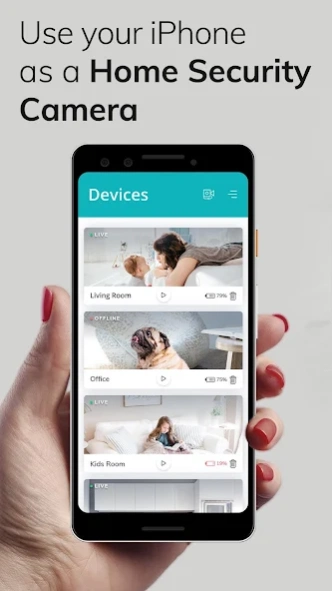
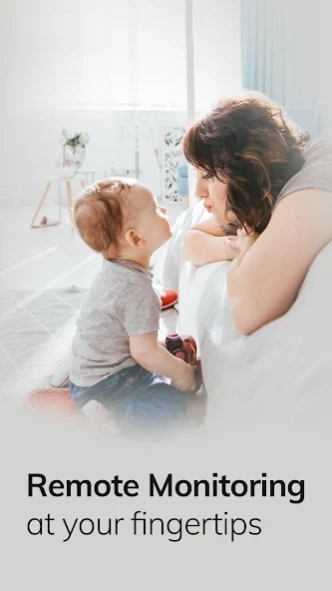
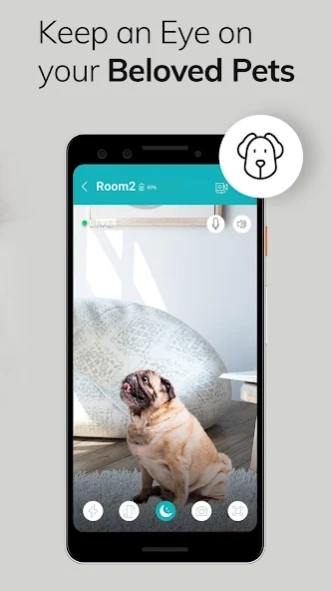
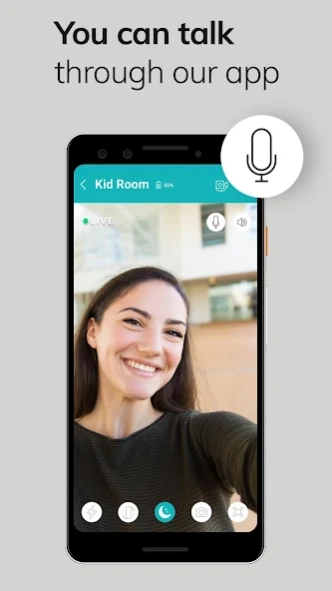
Pet Camera, Baby Monitor, Secu Camera, Nanny Cam, IP Camera, home security
Put old devices back to work!, download this iHeartCam App Now!
- Watch your home/office remotely!
- Looking for Security wireless wifi camera?
- iHeartCam is your security camera app
- Night mode available too
Get world's most trusted home security mobile video surveillance App, iHeartCam Camera turns your old Android devices into a video monitoring system.
Our users use iHeartCam acting as baby monitor, pet camera, nanny cameras, elder care etc.
iHeartCam lets you Remotely monitor on the go, you can watch live streaming on your phone via 3G/4G or WiFi network from anywhere at anytime.
Using Android's built-in mic and speaker now you can turn that into a walky-talky, you can now have Two-way Talk: communicate with people and pets.
We understand your privacy and hence we don't store any of your data, use your own Cloud or Dropbox account to store private recordings.
Once you start using this app, we are certain that you would like using this home security surveillance system for your day-to-day CCTV monitoring. iHeartCam is a full featured video surveillance app, capable to fully serve your home monitoring needs.
About Home Security Camera App
The company that develops Home Security Camera App is Jasmine Rakesh Patel. The latest version released by its developer is 3.0.
To install Home Security Camera App on your Android device, just click the green Continue To App button above to start the installation process. The app is listed on our website since 2023-10-26 and was downloaded 0 times. We have already checked if the download link is safe, however for your own protection we recommend that you scan the downloaded app with your antivirus. Your antivirus may detect the Home Security Camera App as malware as malware if the download link to com.iheartcam is broken.
How to install Home Security Camera App on your Android device:
- Click on the Continue To App button on our website. This will redirect you to Google Play.
- Once the Home Security Camera App is shown in the Google Play listing of your Android device, you can start its download and installation. Tap on the Install button located below the search bar and to the right of the app icon.
- A pop-up window with the permissions required by Home Security Camera App will be shown. Click on Accept to continue the process.
- Home Security Camera App will be downloaded onto your device, displaying a progress. Once the download completes, the installation will start and you'll get a notification after the installation is finished.
Program Details
System requirements
Download information
Pricing
Version History
version 3.0
posted on 2023-10-26
- Bug Fixes & Performance Improvement
version 2.7
posted on 2023-03-02
- Fixed couple of crashes
- Improved the connection between monitor and camera
version 2.3
posted on 2020-10-07
- New smooth design for better user experience
- Now you can sign up with your Email ID
- Fixed issue of recording video on motion detection and minor bugs
Disclaimer
External Download
We do not host Home Security Camera App on our servers. We did not scan it for viruses, adware, spyware or other type of malware. This app is hosted by Galad and passed their terms and conditions to be listed there. We recommend caution when installing it.
The APK Download link for Home Security Camera App is provided to you by apps112.com without any warranties, representations or guarantees of any kind, so access it at your own risk.
If you have questions regarding this particular app contact the publisher directly. For questions about the functionalities of apps112.com contact us.
